
.http file validator
Check a .http or .rest file against the syntax Karve actually runs. Find malformed requests, unresolved variables, duplicate names, and likely committed secrets without uploading your file.
Validates automatically — nothing leaves your browser. Formatting only normalizes line endings, so request bodies remain untouched.
Validated output will appear here.
Your .http file is ready.
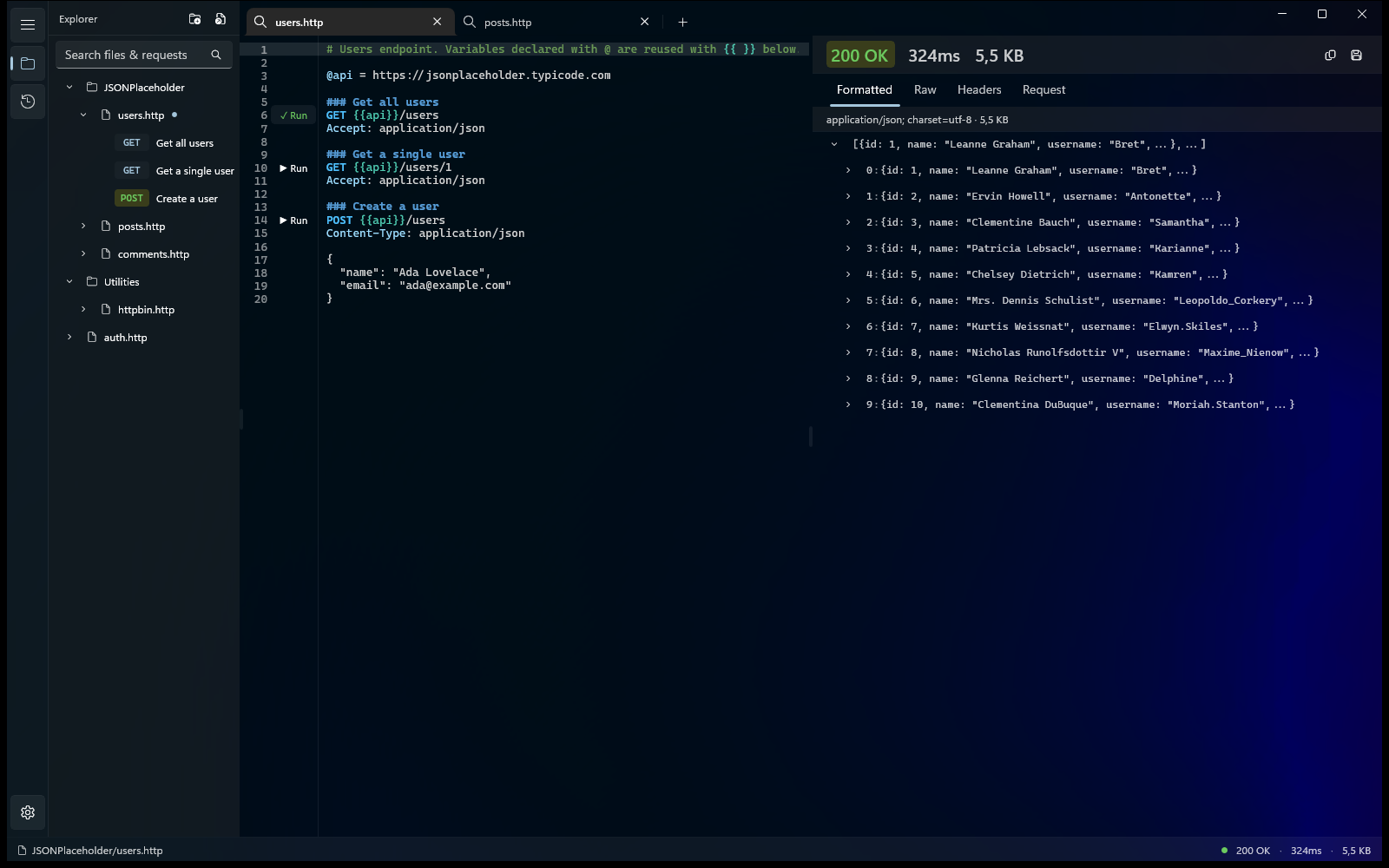
Run, organize, and debug it in Karve — one native Windows workspace for the .http files already scattered across your repos. Files stay where they are and keep working with Git.
- Workspace tree across repos
- Response viewer
- Environment switching
- Searchable history
15-day free trial · No account · No subscription
Syntax checked
- GET, POST, PUT, PATCH, DELETE, HEAD, and OPTIONS
- ### request blocks and duplicate names
- @name declarations and {{name}} references
- Header syntax and body separation
- Likely literal secrets in variables and sensitive headers
Environment-aware warnings
An unresolved variable is a warning, not an error: Karve may resolve it from your active local .env environment. File-level @variables take precedence.
Read the .http file guideCommon questions
How do I check if my .http file is valid?
Drop, browse, or paste the file above — it's checked in your browser against the syntax Karve runs, flagging malformed requests, duplicate names, header/body problems, and likely committed secrets. Copy or download the normalized file.
Why is my variable flagged as unresolved?
It's a warning, not an error: Karve may supply the value at run time from your active local .env, and a file-level @name always wins — so the file can still be valid.
Which syntax does it validate?
GET/POST/PUT/PATCH/DELETE/HEAD/OPTIONS, ### blocks, @name and {{name}}, headers, and body separation — the same subset Karve executes.
Is my file uploaded anywhere?
No. Validation runs entirely in your browser — nothing you paste or drop leaves your machine, which matters when the file holds real endpoints or secrets.
Open and run valid .http files on Windows.
Karve is a fast native workspace for request files on disk, with local environments and no cloud account.
15-day free trial · No account · No subscription · No metered requests
25% off until Sep 1